1.Dolphinscheduler介绍
Apache DolphinScheduler是一个分布式去中心化,易扩展的可视化DAG工作流任务调度系统。致力于解决数据处理流程中错综复杂的依赖关系,使调度系统在数据处理流程中开箱即用。
官网:https://dolphinscheduler.apache.org/zh-cn/index.html
官方文档:https://dolphinscheduler.apache.org/zh-cn/docs/latest/user_doc/cluster-deployment.html
以下是本人按照官方文档亲自试验及整理。
2.集群规划
| igdata04 | bigdata05 | bigdata06 | |
|---|---|---|---|
| master | ✔️ | ||
| worker | ✔️ | ✔️ | |
| alertServer | ✔️ | ||
| apiServers | ✔️ |
3.下载
wget https://mirrors.bfsu.edu.cn/apache/dolphinscheduler/1.3.6/apache-dolphinscheduler-1.3.6-bin.tar.gz
解压到指定目录
mkdir -p /data/soft/dolphinscheduler
tar -zxvf apache-dolphinscheduler-1.3.6-bin.tar.gz -C /data/soft/data/soft/dolphinscheduler
重命名
mv apache-dolphinscheduler-1.3.6-bin dolphinscheduler-bin
说明:/data/soft/dolphinscheduler/dolphinscheduler-bin,这个目录是部署目录,下面的配置也都是在这个部署目录下修改,实际安装目录在/data/soft/dolphinscheduler,在后面的一键部署会分别安装到这个目录下
4.创建部署用户
每台节点都需要
useradd dolphinscheduler设置用户密码
echo "dolphinscheduler" | passwd --stdin dolphinscheduler配置sudo免密
echo 'dolphinscheduler ALL=(ALL) NOPASSWD: NOPASSWD: ALL' >> /etc/sudoerssed -i 's/Defaults requirett/#Defaults requirett/g' /etc/sudoers
注意:在/etc/hosts中请删掉或者注释掉 127.0.0.1这行。
本机免密登录
本操作在bigdata04上进行
切换到部署用户
su dolphinscheduler依次执行以下命令
ssh-keygen -t rsa -P '' -f ~/.ssh/id_rsacat ~/.ssh/id_rsa.pub >> ~/.ssh/authorized_keyschmod 600 ~/.ssh/authorized_keys
注意:正常设置后,dolphinscheduler用户在执行命令ssh localhost 是不需要再输入密码的。
5. 打通其他待部署机器
在bigdata04上进入dolphinscheduler用户
su dolphinscheduler
该操作执行过程中需要手动输入dolphinscheduler用户的密码
ssh-copy-id bigdata05
ssh-copy-id bigdata06
修改目录权限
cd /data/soft/dolphinscheduler
sudo chown -R dolphinscheduler:dolphinscheduler dolphinscheduler-bin
如果出现错误看结尾问题解决。
6. 数据库配置
6.1 数据库初始化
dolphinscheduler默认数据库是PostgreSQL,这里我们选择mysql
先进入到mysql(bigdata05)服务器,这里数据库自行安装,版本要求5.1.47+,执行数据库初始化命令
先连接到mysql:mysql -uroot -h 127.0.0.1 -p
CREATE DATABASE dolphinscheduler DEFAULT CHARACTER SET utf8 DEFAULT COLLATE utf8_general_ci;

GRANT ALL PRIVILEGES ON dolphinscheduler.* TO '{user}'@'%' IDENTIFIED BY '{password}';

GRANT ALL PRIVILEGES ON dolphinscheduler.* TO '{user}'@'localhost' IDENTIFIED BY '{password}';

flush privileges;
注: {user} 和 {password} 需要替换为具体的数据库用户名和密码,这里我的数据如下:
{user}:root {password}:123456
6.2 创建表和导入数据
datasource.properties修改
cd /data/soft/dolphinscheduler/dolphinscheduler-bin/confvim datasource.properties选择mysql
注释掉 PostgreSQL 相关配置,修改mysql相关参数
# postgresql
#spring.datasource.driver-class-name=org.postgresql.Driver
#spring.datasource.url=jdbc:postgresql://127.0.0.1:5432/dolphinscheduler
#spring.datasource.username=test
#spring.datasource.password=test

# mysql
spring.datasource.driver-class-name=com.mysql.jdbc.Driver
spring.datasource.url=jdbc:mysql://bigdata05:3306/dolphinscheduler?useUnicode=true&characterEncoding=UTF-8
spring.datasource.username=root
spring.datasource.password=123456
添加mysql驱动包
下载地址:https://downloads.mysql.com/archives/c-j/,版本要5.1.47+
将下载的jar包拷贝到lib目录下,如果不是部署用户权限,记得修改:
sudo mv mysql-connector-java-5.1.49.jar /data/soft/dolphinscheduler/dolphinscheduler-bin/lib/sudo chown dolphinscheduler:dolphinscheduler mysql-connector-java-5.1.49.jar导入基础数据
修改并保存完后,执行 script 目录下的创建表及导入基础数据脚本
cd /data/soft/dolphinscheduler/dolphinscheduler-bin/script./create-dolphinscheduler.sh19:42:41.331 [main] INFO org.apache.dolphinscheduler.dao.upgrade.shell.CreateDolphinScheduler - upgrade DolphinScheduler finished 19:42:41.331 [main] INFO org.apache.dolphinscheduler.dao.upgrade.shell.CreateDolphinScheduler - create DolphinScheduler success
7. 修改运行参数
7.1 dolphinscheduler_env.sh
修改 conf/env 目录下的 dolphinscheduler_env.sh 环境变量
cd /data/soft/dolphinscheduler/dolphinscheduler-bin/conf/env
vim dolphinscheduler_env.sh
export HADOOP_HOME=/data/soft/hadoop/hadoop-2.7.7
export HADOOP_CONF_DIR=/data/soft/hadoop/hadoop-2.7.7/etc/hadoop
#export SPARK_HOME1=/opt/soft/spark1
#export SPARK_HOME2=/opt/soft/spark2
#export PYTHON_HOME=/opt/soft/python
export JAVA_HOME=/usr/local/jdk
export HIVE_HOME=/data/soft/hive
#export FLINK_HOME=/opt/soft/flink
#export DATAX_HOME=/opt/soft/datax

#export PATH=$HADOOP_HOME/bin:$SPARK_HOME1/bin:$SPARK_HOME2/bin:$PYTHON_HOME:$JAVA_HOME/bin:$HIVE_HOME/bin:$FLINK_HOME/bin:$DATAX_HOME/bin:$PATH
export PATH=$HADOOP_HOME/bin:$JAVA_HOME/bin:$HIVE_HOME/bin:$PATH
注: 这一步非常重要,例如 JAVA_HOME 和 PATH 是必须要配置的,没有用到的可以忽略或者注释掉即可。
7.2 软连接jdk
将jdk软链到/usr/bin/java下(以 JAVA_HOME=/usr/local/jdk为例),操作过的可忽略
sudo ln -s /usr/local/jdk /usr/bin/java
7.3 install_config.conf
修改一键部署配置文件 conf/config/install_config.conf中的各参数:
# NOTICE :  If the following config has special characters in the variable `.*[]^${}\+?|()@#&`, Please escape, for example, `[` escape to `\[`
# postgresql or mysql
dbtype="mysql"

# db config
# db address and port
dbhost="bigdata05:3306"

# db username
username="root"

# database name
dbname="dolphinscheduler"

# db passwprd
# NOTICE: if there are special characters, please use the \ to escape, for example, `[` escape to `\[`
password="123456"

# zk cluster
zkQuorum="bigdata03:2126,bigdata04:2126,bigdata05:2126"

# Note: the target installation path for dolphinscheduler, please not config as the same as the current path (pwd)
installPath="/data/soft/dolphinscheduler"

# deployment user
# Note: the deployment user needs to have sudo privileges and permissions to operate hdfs. If hdfs is enabled, the root directory needs to be created by itself
deployUser="dolphinscheduler"

# alert config
# mail server host
mailServerHost="smtp.exmail.qq.com"

# mail server port
# note: Different protocols and encryption methods correspond to different ports, when SSL/TLS is enabled, make sure the port is correct.
mailServerPort="465"

# sender
mailSender="zhangbao@xxxx.com"

# user
mailUser="zhangbao@xxxx.com"

# sender password
# note: The mail.passwd is email service authorization code, not the email login password.
mailPassword="xxxxxxxx"

# TLS mail protocol support
starttlsEnable="false"

# SSL mail protocol support
# only one of TLS and SSL can be in the true state.
sslEnable="true"

#note: sslTrust is the same as mailServerHost
sslTrust="smtp.exmail.qq.com"

# resource storage type: HDFS, S3, NONE
resourceStorageType="HDFS"

# if resourceStorageType is HDFS,defaultFS write namenode address,HA you need to put core-site.xml and hdfs-site.xml in the conf directory.
# if S3,write S3 address,HA,for example :s3a://dolphinscheduler,
# Note,s3 be sure to create the root directory /dolphinscheduler
defaultFS="hdfs://cluster1:8020"

# if resourceStorageType is S3, the following three configuration is required, otherwise please ignore
s3Endpoint="http://192.168.xx.xx:9010"
s3AccessKey="xxxxxxxxxx"
s3SecretKey="xxxxxxxxxx"

# if resourcemanager HA is enabled, please set the HA IPs; if resourcemanager is single, keep this value empty
yarnHaIps="bigdata03,bigdata04"

# if resourcemanager HA is enabled or not use resourcemanager, please keep the default value; If resourcemanager is single, you only need to replace ds1 to actual resourcemanager hostname
singleYarnIp="yarnIp1"

# resource store on HDFS/S3 path, resource file will store to this hadoop hdfs path, self configuration, please make sure the directory exists on hdfs and have read write permissions. "/dolphinscheduler" is recommended
resourceUploadPath="/data/dolphinscheduler"

# who have permissions to create directory under HDFS/S3 root path
# Note: if kerberos is enabled, please config hdfsRootUser=
hdfsRootUser="hdfs"

# kerberos config
# whether kerberos starts, if kerberos starts, following four items need to config, otherwise please ignore
kerberosStartUp="false"
# kdc krb5 config file path
krb5ConfPath="$installPath/conf/krb5.conf"
# keytab username
keytabUserName="hdfs-mycluster@ESZ.COM"
# username keytab path
keytabPath="$installPath/conf/hdfs.headless.keytab"

# api server port
apiServerPort="12345"

# install hosts
# Note: install the scheduled hostname list. If it is pseudo-distributed, just write a pseudo-distributed hostname
ips="bigdata04,bigdata05,bigdata06"

# ssh port, default 22
# Note: if ssh port is not default, modify here
sshPort="22"

# run master machine
# Note: list of hosts hostname for deploying master
masters="bigdata04"

# run worker machine
# note: need to write the worker group name of each worker, the default value is "default"
workers="bigdata05:default,bigdata06:default"

# run alert machine
# note: list of machine hostnames for deploying alert server
alertServer="bigdata04"

# run api machine
# note: list of machine hostnames for deploying api server
apiServers="bigdata05"
注意:
上面的邮件发送者暂定为zhangbao@xxxx.com,配置以腾讯企业邮为准,到时可改为公司专有邮件发送者
installPath表示要安装的根目录,要清楚这里/data/soft/dolphinscheduler/dolphinscheduler-bin是ds的部署目录
如果Hadoop集群的NameNode 配置了HA的话,记得将Hadoop集群下的core-site.xml和hdfs-site.xml复制到/opt/dolphinscheduler/dolphinscheduler-bin/conf下
8. 一键部署
切换到部署用户dolphinscheduler,然后执行一键部署脚本
cd /data/soft/dolphinscheduler/dolphinscheduler-bin
sh install.sh
脚本完成后
MasterServer ----- master服务
WorkerServer ----- worker服务
LoggerServer ----- logger服务
ApiApplicationServer ----- api服务
AlertServer ----- alert服务
如果以上服务都正常启动,说明自动部署成功,在其他机器的对应目录即可看到安装的ds
部署成功后,可以进行日志查看,日志统一存放于logs文件夹内
logs/
	├── dolphinscheduler-alert-server.log
	├── dolphinscheduler-master-server.log
	|—— dolphinscheduler-worker-server.log
	|—— dolphinscheduler-api-server.log
	|—— dolphinscheduler-logger-server.log
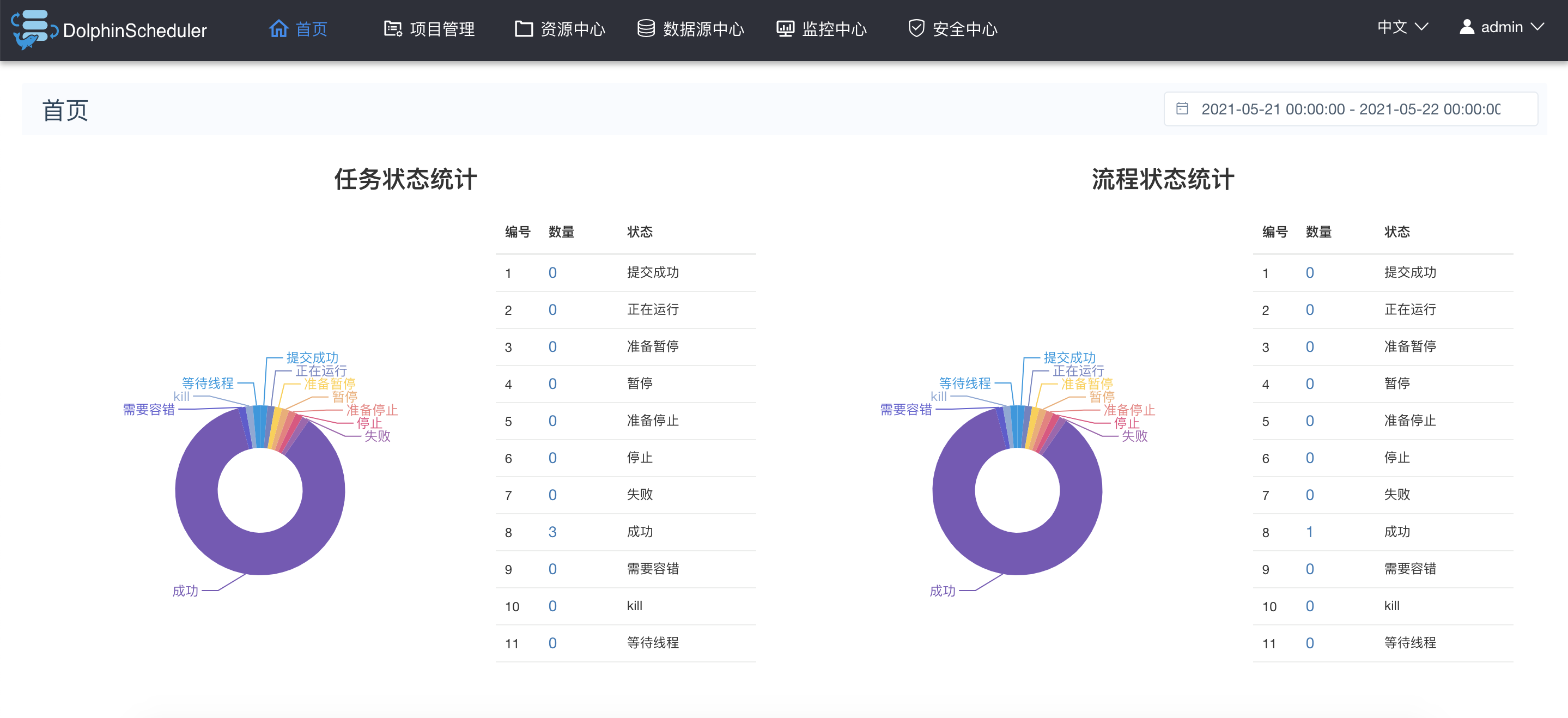
9. 登录系统
提供接口的服务我们放在bigdata05机器上,端口12345
http://bigdata05:12345/dolphinscheduler
用户名:admin 密码:dolphinscheduler123
10. 启停服务
下面命令在部署目录或安装目录都可执行,实际配置是一样的
一键停止集群所有服务
sh ./bin/stop-all.sh
一键开启集群所有服务
sh ./bin/start-all.sh启停Master
sh ./bin/dolphinscheduler-daemon.sh start master-serversh ./bin/dolphinscheduler-daemon.sh stop master-server
启停Worker
sh ./bin/dolphinscheduler-daemon.sh start worker-serversh ./bin/dolphinscheduler-daemon.sh stop worker-server
启停Api
sh ./bin/dolphinscheduler-daemon.sh start api-serversh ./bin/dolphinscheduler-daemon.sh stop api-server
启停Logger
sh ./bin/dolphinscheduler-daemon.sh start logger-serversh ./bin/dolphinscheduler-daemon.sh stop logger-server
启停Alert
sh ./bin/dolphinscheduler-daemon.sh start alert-serversh ./bin/dolphinscheduler-daemon.sh stop alert-server
问题
1.Permission denied (publickey,gssapi-keyex,gssapi-with-mic).
在发送秘钥时报如下错误:
/usr/bin/ssh-copy-id: INFO: Source of key(s) to be installed: "/home/dolphinscheduler/.ssh/id_rsa.pub"
/usr/bin/ssh-copy-id: INFO: attempting to log in with the new key(s), to filter out any that are already installed
/usr/bin/ssh-copy-id: INFO: 1 key(s) remain to be installed -- if you are prompted now it is to install the new keys
Permission denied (publickey,gssapi-keyex,gssapi-with-mic).
解决:
每台节点,进入部署用户dolphinschedulersudo vim /etc/ssh/sshd_config
找到如下配置,有则修改,没有则增加
| PasswordAuthentication yes |
|---|
使其生效sudo systemctl restart sshd